

Smart Home Installation Auckland: Plan It Into Your Reno
Last updated:
Quick answer: Smart home installation in Auckland goes in cheapest and cleanest during a renovation, while walls and ceilings are open. Plan the cabling, switch neutrals, conduit and circuit capacity at rough-in, and have a registered electrician do and certify the work.
There’s a moment in every renovation where the walls are open, the ceiling is stripped back, and every tradie on site can see exactly where the wires run. It doesn’t last long. Once the GIB goes on, the chance to future-proof your home without opening it up again is gone.
Free cost calculator
How much will your renovation cost?
Answer a few questions and we’ll email you an Auckland price range.
That’s the window, and plenty of Auckland homeowners miss it. Not because they don’t want smart tech, but because nobody raised it before the electrician’s first visit.
Imagine finishing a kitchen in Remuera, moving back in, and deciding six months later that you want dimmable lighting scenes and a wired camera at the front door. The kitchen is done, so every new cable means cutting GIB, patching and repainting around finished cabinetry. The same cable would have been a quick pull through open framing.
So if you’re looking into smart home installation in Auckland, the first question isn’t which app to download. It’s what has to be inside the walls before they close, and who is legally allowed to put it there.
Smart Home Installation in Auckland: Why the Renovation Is the Moment
The Infrastructure Problem Nobody Talks About
Smart home technology gets marketed as plug-and-play. Sometimes it is. Smart bulbs, a battery video doorbell or an app-controlled heat pump can go into almost any home without touching a wall.
But the integrated version needs infrastructure: conduit runs, dedicated circuits, data cabling, flush-mounted switches and a switchboard with room for more. If you want smart technology that’s built into the house rather than a collection of apps on your phone, the bones need to be right. And those bones are cheapest to get right when the walls are already open.
Think about what a renovation exposes: the ceiling cavity, the wall framing, sometimes the subfloor. An electrician working alongside the rest of the trades can run data cable, speaker wire or conduit for motorised blinds through open framing. The same job in a finished home means cutting into lined walls and leaves a trail of patched GIB and repainting.
💡 Quick tip: Bring your smart home wishlist to the design meeting, not the rough-in. Switch positions, data points and the hub location all go on the electrical plan, and the electrician prices and wires from that plan.
What Auckland Homes Actually Need
Auckland housing stock creates its own challenges. The older villas in Grey Lynn and Mt Eden were wired for a handful of lights and power points, not a dozen switched lighting circuits. Many have been partly rewired over the decades, leaving a mix of old and new cabling that doesn’t sit well with smart controllers.
One detail catches people out. Many smart switches need a neutral conductor at the switch box. PDL’s Wiser FAQ, for example, lists active and neutral as a requirement for its Micro Module Switch. Older wiring often doesn’t bring a neutral to the switch at all, and the open-wall stage is when an electrician can sort that without cutting into finished walls.
The switchboard comes next. An older board may not have spare capacity for an EV charger, a heat pump and new circuits running at once. Whether yours can take the extra load is the electrician’s call, and it’s usually the first thing they check. Not glamorous, but everything else sits on it.
Newer homes in subdivisions like Hobsonville and Millwater usually have modern wiring, but they tend to come with standard switches and no spare data cabling. The wiring is fine. The plan for smart systems often isn’t there yet.
Starting Small Is a Legitimate Strategy
You don’t have to do it all at once. That’s worth saying, because smart home marketing can make everything sound like an all-or-nothing commitment.
It isn’t. PDL describes its Wiser system as one that “can adapt as your needs change”, and says Wiser products work with its existing switch ranges, including Iconic. You can start with smart lighting in the kitchen during your renovation and add blinds, sensors or heating control later.
The part that can’t wait is the infrastructure: the neutrals, the cabling pathways, the conduit and the switchboard capacity. That’s the upfront job. The devices can follow when your budget allows.
“The clients who get the most out of smart home technology are the ones who thought about it at the design stage — not the ones who decided they wanted it after the GIB was on. Even if the budget isn’t there right now, running the conduit costs almost nothing during a reno. It costs a lot when the walls are done.”
Eunice Qin, Designer, Superior Renovations
For most Auckland homeowners renovating a home they plan to stay in, the real question isn’t whether smart tech is worth it. It’s which systems matter for how you live, and which cables to run now so the rest stays an easy upgrade.
Who Can Install It: Registered Electricians, Certificates and the Law
Smart Wiring Is Prescribed Electrical Work
Here’s the part most smart home guides skip. Under section 74 of the Electricity Act 1992, a person must not do prescribed electrical work, or assist with it, unless the Act authorises them. For a homeowner hiring help, that means a registered electrical worker holding a current practising licence, which is what section 74(2)(a) describes.
Fitting a smart switch, running a new circuit to the garage or hardwiring a sensor is work on your electrical installation, so it sits inside that rule. Plug-in devices you set up yourself, like a smart speaker or a plug-in camera, don’t. The Act carries some narrow exemptions in sections 75 to 81. They come with conditions, and whether one applies to your job is a question for a registered electrician, not a forum thread.
Low-Risk, General and High-Risk Work
The Electricity (Safety) Regulations 2010 sort prescribed electrical work into three bands in regulation 6A. Low-risk work is the maintenance or replacement of a fitting in an existing installation, which is where swapping an existing switch for a smart one usually lands. High-risk work includes installing a photovoltaic (solar) system or a mains parallel generation system. Everything else, including the new circuits a renovation usually adds, is general prescribed electrical work.
The band matters to you for one practical reason: it decides the paperwork you’re owed at the end.
The Certificates You Should Get at Handover
Regulation 65 says a certificate of compliance (CoC) must be issued for all general and high-risk prescribed electrical work, and general work can’t be treated as complete until it is. High-risk work also needs a record of inspection before it counts as complete. For low-risk work, the person doing it may issue a CoC but isn’t obliged to.
Once the work is finished and connected, regulation 74A requires an electrical safety certificate (ESC) confirming the installation is safe to use. Regulation 74A(5) gives that certificate a second job: for the purposes of section 19(1)(e) of the Building Act 2004, it confirms the electrical work complies with the Building Code. On a consented renovation, that’s the document that covers the electrical side. WorkSafe publishes the CoC and ESC templates and describes the record of inspection as the formal document for an inspection of high-risk work.
Important note: New wiring, new circuits, switchboard changes and solar are prescribed electrical work. Use a registered electrician, ask for the certificate of compliance and electrical safety certificate at handover, and take any building consent question about the wider renovation to our in-house Licensed Building Practitioner (LBP #BP156911) or Auckland Council. This is general information, not electrical advice.
How It Works Inside a Superior Renovations Job
You don’t have to find and manage the electrician yourself. On our renovations the electrician is one of the trades we schedule and supervise alongside the plumber, waterproofer and tiler, and you can read how we schedule the trades from design to handover. The electrical certificate comes with the trade paperwork at the end, along with our workmanship warranty and 12-month maintenance agreement.
That’s also why the smart home conversation belongs at the design stage. The electrical plan your designer draws is the one the electrician wires to.
Choosing a Smart Home System: Wiser, Zigbee, Matter and KNX
PDL Wiser: A Local System Built Around Your Switches
We sat down with Robert Knight from PDL by Schneider Electric to film a walkthrough of PDL Wiser, which you can watch below.

According to PDL, Wiser can be run from the Wiser by SE app, by voice through Amazon Alexa or Google Home, or simply from your existing light switches. PDL says it has more than 20 years of experience in local smart home technology. The range covers lighting and blind control, plus sensors for door and window opening, motion and water leaks, and smart smoke alarms that can turn lights on in an emergency.
Because Wiser works through PDL’s switch ranges, including Iconic, it can be specified like any other switch. Your designer picks the finish that suits the room, and the smart functionality sits behind the plate.
Zigbee or Bluetooth: Why the Hub Position Matters
Wiser devices come in Zigbee and Bluetooth (BLE) versions, and PDL’s Wiser FAQ spells out the difference. Zigbee devices talk to a hub, which connects to your phone through the cloud. Every mains-powered Zigbee device except the smoke alarms acts as a signal repeater, so coverage grows as you add devices. Bluetooth is a point-to-point connection: your phone talks to each device directly.
That mesh behaviour isn’t a PDL quirk. The Connectivity Standards Alliance, which maintains the Zigbee standard, describes it as a low-power, self-healing mesh. For a renovation, the practical upshot is simple: a Zigbee system needs a hub somewhere central, and that spot needs power and ideally a data point.
One compatibility note if your household runs on iPhones. PDL’s FAQ says Wiser isn’t currently compatible with Apple HomeKit, although Wiser “Moments” (its scenes) can be triggered from Siri commands. Check that before you commit, not after.
Matter, KNX and C-Bus
You’ll also see Matter on device boxes. The Connectivity Standards Alliance describes Matter as a unifying, IP-based connectivity protocol, and the Matter mark as its seal that certified devices work reliably together. If you plan to mix brands, the certification on each device is worth checking.
At the larger end of the market sit project-style systems. KNX describes itself as an open standard trusted for over 30 years and backed by more than 500 manufacturers, designed and commissioned in its ETS software by trained installers. PDL also lists SpaceLogic C-Bus automation in its own range. Systems like these are designed as a project, so the switch, sensor and keypad positions need to be fixed at design stage.
| Option | How it connects (per the maker or standard body) | What to sort before the walls close |
|---|---|---|
| Wiser Bluetooth (BLE) | Point to point: your phone talks to each device | Switch positions and neutrals at each switch box |
| Wiser Zigbee | Devices talk to a hub; mains-powered devices repeat the signal | A central hub position with power and a data point |
| Matter-certified devices | IP-based protocol shared across certified brands | Good Wi-Fi or wired coverage at each device location |
| KNX or C-Bus | Project systems designed and commissioned by a trained installer | A full device schedule at design stage, before rough-in |
💡 Quick tip: Pick the system before the electrician’s first visit. The hub position, the neutrals and the number of switch boxes all follow from that one decision.
Smart Lighting and Power: What to Wire Before the GIB Goes On
Why Lighting Is Usually the Starting Point
Most smart home plans start with lighting, and for good reason. Smart lighting is immediately visible, immediately useful, and doesn’t ask you to change how you live.
The difference between a standard kitchen renovation and one with properly planned smart lighting isn’t subtle. Picture walking in at 6am to make coffee and the lights come up low and warm. Shift to meal prep and the task lighting over the bench goes to full. Friends over for dinner, and the room drops to a softer scene from a single tap or a voice command to Google Home or Amazon Alexa. That’s a kitchen you actually want to be in.
What Smart Home Installation Costs: The Honest Answer
There’s no honest single number for smart home installation in an Auckland renovation, and we won’t invent one. The price moves with the system you choose, the number of switch positions and circuits, whether neutrals need adding, the state of your switchboard, and how much of the cabling goes in while the walls are open.
What we can say: Auckland trade labour runs $120–$150 an hour, as our renovation FAQ sets out, and labour is the part that grows when walls are already closed. If an electrician is already on site for your renovation, adding smart wiring to their scope is the cheapest it will ever be. Bring your list to the consultation and it gets priced inside the renovation quote, with the whole job quoted in full before work starts.
Power Points and Pull Points: The Overlooked Detail
The conversation usually centres on switches and dimmers, but power point placement deserves the same attention. Benchtop power points that sit flush when not in use are one feature worth deciding early in Auckland kitchen renovations. They’re practical, they look clean, and they’re far easier to install during a renovation than after.
The same logic applies to USB-C charging points in bedrooms, weatherproof outdoor power for entertaining areas, and dedicated circuits for home office equipment. Think about where you actually use power, and plan those positions before the GIB goes on. Changes after lining mean cutting, patching and repainting for each one.
💡 Quick tip: If the rest of your house already has PDL switches, ask whether Wiser can sit in the same range. PDL says Wiser is compatible with its existing switchgear ranges, including Iconic, so the new rooms don’t have to look different from the old ones.
Smart Climate Control for Auckland’s Damp Winters
Auckland’s Climate Makes This Category Worth Planning
Auckland doesn’t get cold the way Christchurch or Queenstown does. It gets damp. The winters are mild enough that people underestimate what moisture does to an older, under-ventilated home. Mould in bathrooms, condensation on windows and musty carpet in closed-up bedrooms aren’t just cosmetic. They’re comfort and health problems, and they’re common in older housing stock where ventilation was never designed in.
Smart climate control, done properly, helps with all of that. It isn’t just a heat pump on a timer. It’s temperature, humidity and airflow handled together, set once and largely left alone.
Smart Heat Pump Control
Most current heat pumps can be run from an app or a timer controller; check the model before you buy. The practical benefit isn’t turning the heat pump on from the couch. It’s warming the house before you get out of bed on a July morning, then easing off while nobody’s home.
According to EECA’s heat pump guidance, heat pumps can be controlled using timers to automate home heating around your schedule, the average heat pump in New Zealand puts out three times more heat than the power it consumes, and heat pumps cost about a quarter as much to run as bar and column heaters. If a new heat pump is going in as part of your renovation, plan its controller and Wi-Fi coverage at the same time.
Ventilation and Humidity: The Problem Most Systems Ignore
Heat is only half of it. When you renovate a bathroom or kitchen, or swap old windows for double glazing, you change how air moves through the house, and moisture that used to leak out through gaps now has to be extracted on purpose.
Smart ventilation, such as humidity-triggered bathroom extraction fans and ducted ventilation systems, handles this without anyone having to remember to switch a fan on. For a benchmark, the Healthy Homes ventilation standard requires every kitchen and bathroom in a rental to have either an extractor fan venting to the outside or continuous mechanical ventilation that meets set criteria. That’s a rule for rental properties, not owner-occupied homes, but it’s a sensible bar for your own.
“A bathroom renovation is one of the best opportunities to sort humidity properly. Most Auckland bathrooms we work on are extracting moisture too slowly, or not at all. Pairing a good extraction system with a humidity sensor means you’re not relying on people remembering to run the fan — it just happens. That’s what keeps mould out long-term.”
Cici Zuo, Sales Manager, Superior Renovations
Luxury Bathroom Design – Redvale
Underfloor Heating in Bathrooms and Kitchens
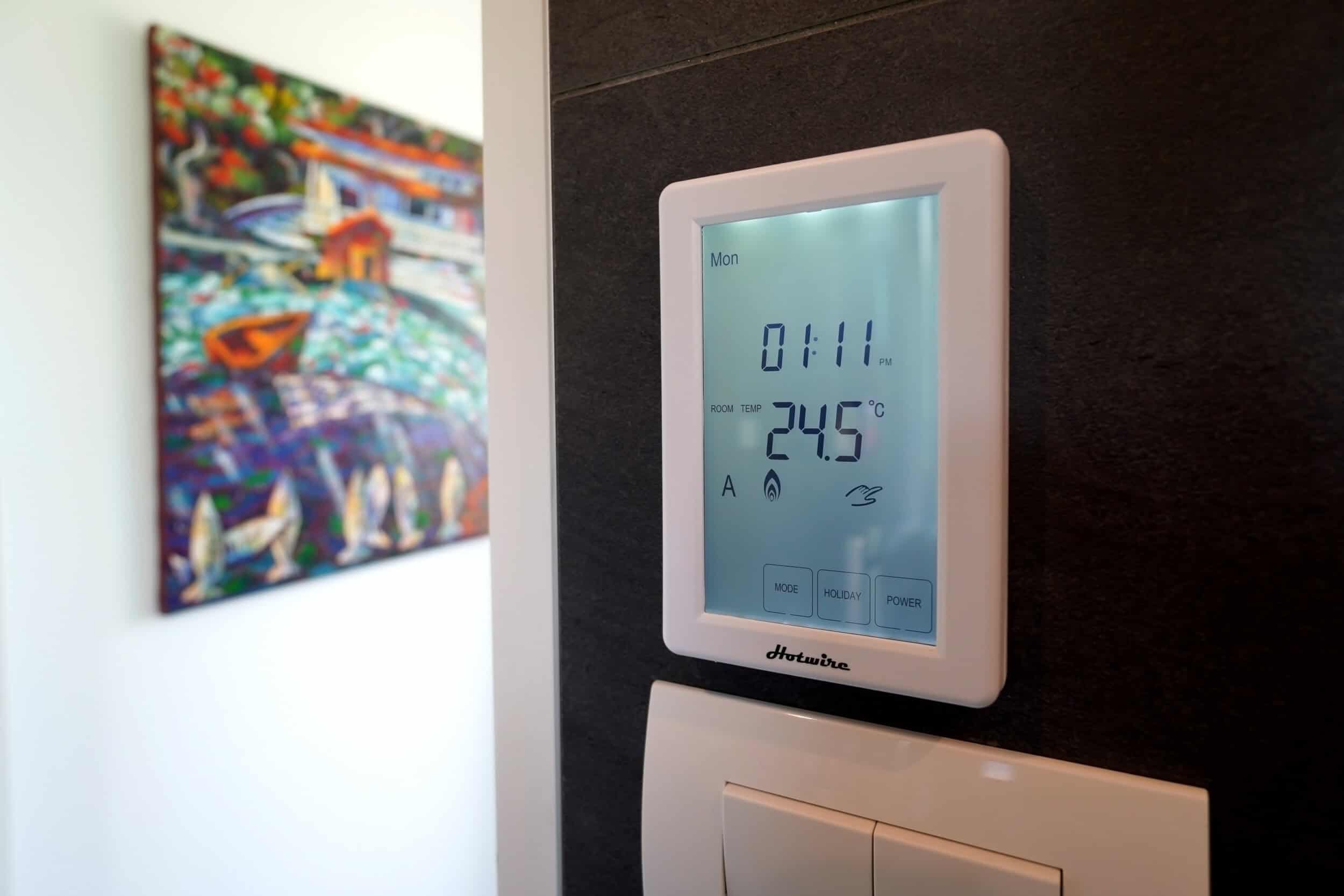
Electric underfloor heating is a common choice in mid-range and above bathroom renovations in Auckland. The heating element goes down before the tiles, which makes the tiling stage the only sensible time to install it. On a timer, you can have the floor warm for the half hour before the alarm goes off and off for the rest of the day.
A programmable thermostat, like the one in the photo above, lets you schedule the floor around your week instead of heating an empty bathroom. The thermostat position and its circuit are decided at rough-in, so they belong on the same electrical plan as everything else.
💡 Quick tip: Decide on underfloor heating before the tiler is booked. The element sits under the tiles, so for that floor it’s now or not until the next renovation.
When to Install Each Climate System
| System | Best time to install | What to plan for |
|---|---|---|
| Smart heat pump control | Anytime | Wi-Fi coverage at the indoor unit |
| Bathroom underfloor heating | Before tiling, not after | Thermostat position and its circuit |
| Ducted ventilation system | While ceilings are open | Duct routes through the ceiling space |
| Humidity-triggered bathroom fan | During the bathroom renovation | Ducting that vents to the outside |
| Wireless temperature and humidity sensors | Anytime | A hub position if the system uses one |
Smart Security, Motorised Blinds, Audio and Locks
Smart Security: What’s Actually Useful
Home security has an image problem. The marketing makes it sound like you need a control room and a monthly monitoring contract. Most Auckland homeowners don’t. What they want is simpler: know who’s at the door without getting up, see what’s happening at home when they’re away, and get an alert if something’s wrong.
A sensor layer covers a lot of that. PDL lists door and window opening, motion and water-leak detection among Wiser’s sensor functions, and says its smart smoke alarms can turn lights on in an emergency, remind you to test them and tell you when they’re due for replacement. Sensors are small, but their positions are easiest to decide while the walls and ceilings are open.
What the Renovation Window Enables for Security
Battery cameras are fine. But cameras cabled during a renovation don’t need recharging, and the cable can be hidden in eaves and ceiling spaces. The difference between a camera with a hidden cable and one with a visible run down an external wall is obvious, particularly on character homes in suburbs like Remuera or Parnell.
During a renovation, an electrician can run low-voltage cabling for cameras, door sensors and an intercom inside the wall cavity, invisible when the job’s done. The same goes for a wired doorbell with intercom: flush, clean, and powered without a battery to change every few months.
💡 Quick tip: Walk the outside of the house with your designer and mark camera positions and their viewing angles before the walls close. A cable left coiled in the soffit at rough-in is easy; choosing camera spots after lining means visible cable runs.
Motorised Blinds: More Useful Than They Sound
For west-facing living rooms, particularly the villas and bungalows in Grey Lynn, Westmere and Pt Chevalier that bake in afternoon sun, motorised blinds on a schedule are genuinely practical. They close when the sun swings onto the glass, keep the room cooler and cut UV on furniture.
PDL describes Wiser blinds that close to keep the warmth in and can be operated from the Wiser by SE app, and suggests opening and closing them to match the weather as an energy-saving routine. If new blinds are being specified as part of your renovation anyway, the step to take now is a power supply at each blind head, positioned before the lining goes up.
Multi-Room Audio
Pre-wiring for ceiling speakers is one of the simplest infrastructure decisions in a renovation. Speaker cable through open framing is a small job. Installing ceiling speakers after lining means cutting holes, fishing cable, patching and painting.
If you’re not sure you’ll ever want built-in audio, run the cable to the likely speaker and amplifier positions anyway and leave it labelled in the ceiling. It’s one of the cheapest options you can keep open.
A Yale digital lock fitted to a charcoal door
Smart Locks and Access Control
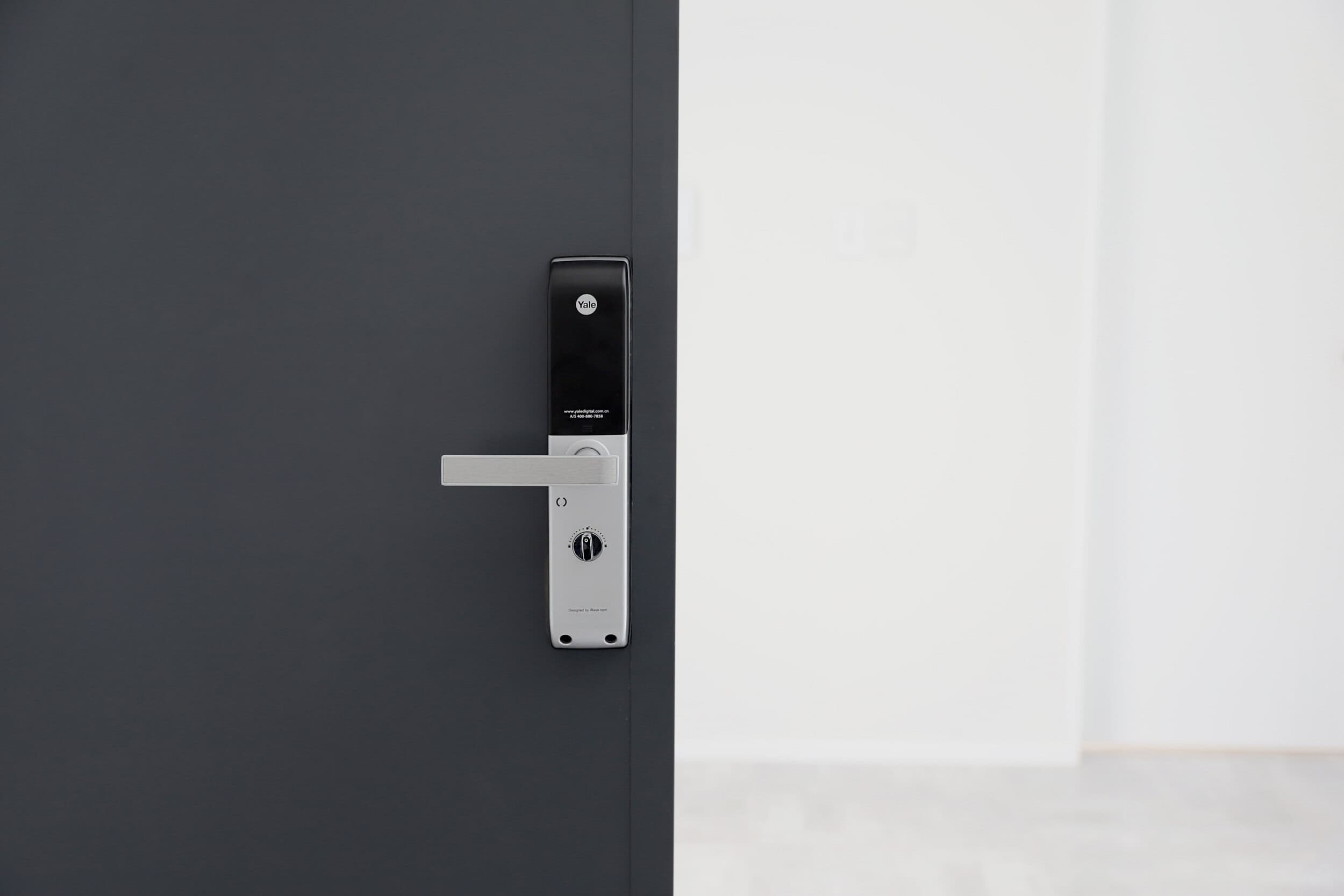
Smart locks, with keypad or phone-based entry, are a common request when a renovation includes a new front door or new external doors in an extension. The appeal is practical: no more spare key under a pot plant, and a time-limited code for guests, cleaners or tradespeople. Many models also keep an access log, so you know who came and went, and when.
Plenty of smart locks are designed to retrofit onto an existing door. But if a new door is going in as part of the renovation, choose the lock first so the door can be prepared for it, rather than adapting the lock to the door afterwards.
EV Charging, Solar and Network Cabling: Future-Proofing the Switchboard
EV Charging: Plan the Circuit Even Without the Car
If you’re renovating and have a garage or carport, EV charging is worth a conversation even if you don’t own an electric car yet. A home wallbox charger needs its own dedicated circuit and enough switchboard capacity, both sized by your electrician.
Running that circuit while an electrician is already on site, before a wall is lined or a concrete path is poured, is a very different job from bringing the trades back later to cut and trench for it. The cable route from the switchboard to the garage is the part to settle during the renovation.
💡 Quick tip: Even if you don’t own an EV, ask your electrician whether to run a suitably sized cable to the garage now while the route is open. Whether and how it’s terminated is their call, but the cable path is the expensive part to add later.
Network Infrastructure: Wired Is Still Better
Wi-Fi has come a long way, and mesh systems cover large homes far better than a single router did a decade ago. But for smart home reliability, a wired Cat6 backbone still wins. Wired access points don’t fight the microwave or the neighbours’ routers, and they hold their speed however many devices join.
For Auckland homes where working from home has stuck and devices keep multiplying (cameras, speakers, thermostats, connected appliances), a wired backbone is the difference between a system that just works and one you’re always resetting. Running Cat6 alongside the other electrical work is straightforward with the framing open. Running it later means cutting into lined walls.
The key positions to wire: the main router location near the fibre connection point, living areas, the home office, the main bedroom, any outdoor entertaining area, and the smart home hub if your system uses one.
Solar, Batteries and the Paperwork They Trigger
If solar is on your radar, the switchboard and metering choices you make during the renovation should allow for it. Leaving the pathway clear now is easier than reworking a finished board later.
Know this before you plan it: the Electricity (Safety) Regulations 2010 class installing a photovoltaic system, and a mains parallel generation system, as high-risk prescribed electrical work (regulation 6A). High-risk work needs a certificate of compliance and a record of inspection before it can be treated as complete (regulation 65(4)). If you’re weighing up a home battery or a future vehicle-to-home setup, ask your electrician which category it falls into, because that decides who inspects it and what you’re handed at the end.
“We encourage every client doing a kitchen or full home renovation to think about where their garage is and what they’re going to want to park in it in five years. The conversation about EV charging infrastructure takes about five minutes. Not having it is a conversation that takes longer — usually after they’ve already moved back in.”
Dorothy Li, Head of Design, Superior Renovations
The Smart-Ready Renovation Checklist
| Item | Why it matters | When to decide |
|---|---|---|
| Switchboard capacity check | Every new circuit, EV charger and solar option depends on it | Before the electrical plan is final |
| Neutrals at switch boxes | Many smart switches need one | Rough-in |
| Cat6 data points | Reliable backbone for access points, hub and cameras | Rough-in |
| EV circuit route to the garage | Avoids cutting walls or paths later | Before lining and concrete |
| Speaker and camera cable | Hidden runs, no surface cable | Rough-in |
| Underfloor heating and thermostat | The element goes under the tiles | Before tiling |
| Certificates at handover | CoC and electrical safety certificate for the work done | Ask for them in the contract scope |
Plan the Cables Now, Choose the Gadgets Later
Apps change every year and devices get cheaper. The cable inside a wall stays where it was put. Get the neutrals, data points, circuits and switchboard right while the house is open, and every smart device you want later becomes a quick install instead of another renovation.
If you’re planning a home renovation in Auckland, bring your smart home list to the first design meeting and we’ll build it into the electrical plan and the quote from the start.
➡ Book your free in-home consultation with Superior Renovations
➡ Explore our home renovation services in Auckland
➡ Request a free feasibility report for your project
When is the best time to install smart home technology in an Auckland home?
During a renovation, before walls are lined and ceilings closed. Running cabling, conduit, neutrals and new circuits through open framing is a far smaller job than cutting into finished walls later. Even if you're not ready to buy devices, settling switch positions, data points and the hub location at rough-in keeps every future option open. The devices themselves can be added later as your budget allows.
How much does smart home installation cost in Auckland?
There is no honest single number. The price depends on the system, the number of switch positions and circuits, whether neutrals need adding, the state of the switchboard and how much is wired while walls are open. Auckland trade labour runs $120 to $150 an hour, and labour is what grows once walls are closed. In a Superior Renovations job, smart wiring is priced inside the renovation quote before work starts.
Do I need a registered electrician to install smart switches?
Yes, for anything wired in. Section 74 of the Electricity Act 1992 says a person must not do prescribed electrical work unless the Act authorises them, which in practice means a registered electrical worker with a current practising licence. Swapping an existing switch for a smart one is usually low-risk work under regulation 6A of the Electricity (Safety) Regulations 2010. Plug-in devices you set up yourself are not covered.
Do I need a building consent for smart home wiring in Auckland?
The smart devices themselves are not a consent question. Whether your wider renovation needs a building consent depends on the building work involved, so check that with our in-house Licensed Building Practitioner (LBP #BP156911) or Auckland Council. The electrical side is certified separately: under regulation 74A(5), the electrical safety certificate confirms the electrical work complies with the Building Code.
What certificates should I get after smart home wiring?
For general prescribed electrical work, such as new circuits, regulation 65 requires a certificate of compliance, and the work is not complete until it is issued. Once the work is connected, regulation 74A requires an electrical safety certificate. High-risk work, such as a solar photovoltaic system, also needs a record of inspection. For low-risk work like replacing a fitting, a certificate of compliance is optional.
What is PDL Wiser?
PDL Wiser is a smart home system from PDL by Schneider Electric. According to PDL, it can be controlled from the Wiser by SE app, by voice through Amazon Alexa or Google Home, or from your light switches, and it works with PDL switch ranges including Iconic. The range covers lighting and blind control, door, window, motion and water-leak sensors, and smart smoke alarms.
Does PDL Wiser work with Apple HomeKit?
Not at the moment. PDL's Wiser FAQ says Wiser is currently not compatible with Apple HomeKit, although Wiser Moments, its scenes, can be triggered from Siri commands. If your household runs on Apple devices, settle this before you choose a system, because the switches you install at rough-in decide which ecosystem you are in for years.
Do I need a smart home hub?
It depends on the system. PDL's Wiser FAQ says Wiser Zigbee devices communicate with a hub that connects to your phone through the cloud, and mains-powered Zigbee devices repeat the signal to extend coverage. Wiser Bluetooth devices connect point to point with your phone rather than through a hub. If you choose a hub-based system, plan a central position with power and a data point.
Can smart home technology be added to an older Auckland villa or bungalow?
Yes, but older wiring needs checking first. Many smart switches need a neutral conductor at the switch box, and older wiring often does not run one there. The switchboard may also lack capacity for new circuits. A renovation is the easiest time to sort both, because the walls are already open in character homes in suburbs like Grey Lynn and Mt Eden.
What is Matter in smart home technology?
Matter is a connectivity standard maintained by the Connectivity Standards Alliance, which describes it as a unifying, IP-based protocol. The Matter mark on a device is the alliance's seal that certified devices work reliably together. If you plan to mix brands in one home, check that each device carries the certification rather than assuming it works across ecosystems.
What should I ask my renovation company about smart home installation?
Ask: will a registered electrician be on site during rough-in? Can we run Cat6, speaker cable and conduit alongside the existing electrical scope? Is the switchboard adequate for the extra load? Will switch boxes have neutrals? Can we run an EV circuit route to the garage? Which certificates will we get at handover? Asking at design stage costs little. Asking after the GIB goes on costs a lot more.
Related guides
- Robert Knight from PDL on what Wiser does in a renovated home
- which kitchen electrical jobs a homeowner can legally do
- what insulation to add while the walls are open
Further Resources
- Featured projects and Client stories to see specifications on some of the projects.
- Real client stories from Auckland
Need more information?
Take advantage of our FREE Complete Home Renovation Guide (48 pages), whether you’re already renovating or in the process of deciding to renovate, it’s not an easy process, this guide will help you avoid costly mistakes.
Download Free Renovation Guide (PDF)
Have you been putting off getting renovations done?
We have partnered with Q Mastercard ® to offer up to 18 months interest-free, so you can enjoy your new home now and stress less.
Learn More about Interest-Free Payment Options*
*Lending criteria, fees, terms and conditions apply. Mastercard is a registered trademark and the circles design is a trademark of Mastercard International Incorporated.
Still have questions unanswered?
Book a no-obligation consultation with the team at Superior Renovations, we’d love to meet you to discuss your renovation ideas!
References
- Electricity Act 1992, section 74 (New Zealand Legislation)
- Electricity (Safety) Regulations 2010, regulations 6A, 65 and 74A (New Zealand Legislation)
- WorkSafe NZ, Electrical certification and record of inspection templates
- PDL by Schneider Electric, Wiser Smart Home
- PDL by Schneider Electric, Wiser Smart Home FAQs
- Connectivity Standards Alliance, Zigbee
- Connectivity Standards Alliance, Matter
- KNX Association, What is KNX
- EECA, Heat pumps
- Tenancy Services, Healthy Homes ventilation standard


